


Publicado el sábado, 24 de septiembre de 2011
www.TuTilapia.com
Control What Apps Restore Windows in OS X Lion with RestoreMeNot


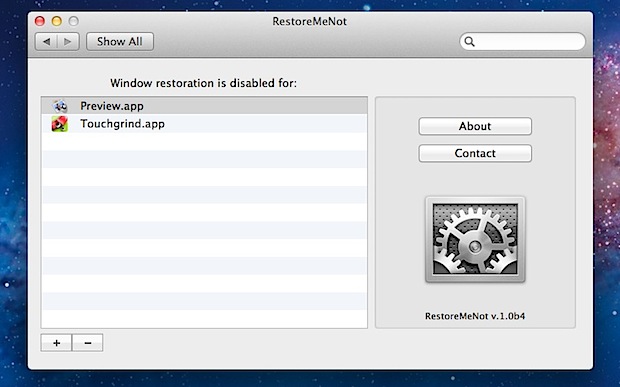
OS X Lion’s Restore function is what causes app windows to re-open after you’ve relaunched an app, and people seem to either love it or hate it. Sure you can turn it off completely, but that’s a bit overkill if you only don’t want certain apps to restore their windows, and still want resume to work in others.
That is exactly what RestoreMeNot allows you to do; control which apps use window restore, and which don’t. This is easily done through RestoreMeNot’s preference panel list, where anything added to it will disable the feature when you relaunch the app.
Download RestoreMeNot now (direct link) or visit the dev site
Apps like this are probably the best solution to use if you’re not comfortable with using defaults write commands to disable Resume on a per application basis, and you don’t want to disable the feature completely via System Preferences.
Quick note: If you get a message telling you to launch an app first, that’s because it relies on the saved state folders existing. This is much in the same way of manually blocking restore works when you lock down the individual saved state directories, but of course if they don’t exist, they can’t be locked.
[ via @viticci ]

%20(1).jpg)


